A‑DAPT is a forensic video analysis tool built on a fully proprietary parsing engine with no black-box dependencies. Because it does not rely on wrappers around FFprobe, FFmpeg, or other metadata parsers, you can directly compare its results against your existing tools to strengthen the confidence of your findings. This design gives you a transparent, defensible foundation for your analysis—one you can clearly explain and stand behind in court.
| Feature | What A-DAPT actually does |
|---|---|
| Frame Rate Validation | Cross-checks container header fps against derived frame-level fps — highlights mismatches, generates frequency graph over the full duration |
| GOP Analysis | Full I/P/B frame map across all streams simultaneously — flags anomalous frames, non-standard sequences, and re-encode boundaries |
| Timeline View | Gantt chart across multiple sources — automatically flags gaps and overlaps with exact duration displayed |
| Compare In/Out | Pixel-level RGB difference map between any two marked frames — white = difference, black = identical — detects sub-pixel manipulation |
| Milestone Marker | Set any frame as time-zero — timeline displays ±offset for collision reconstruction and event sequencing |
| Audio Waveform | Full waveform with live scrubbing — set audio markers, correlate to video frames, export for reporting |
| Analysis Report | Fully customizable PDF — MD5/SHA1/SHA256/SHA512 hashes, thumbnails, hex headers, frame rate graphs, macroblock analysis, motion vectors |
| Concatenate | Lossless stream linking — no re-encoding, original GOP structures and all metadata fully preserved |
| Archive & Restore | Full project packaging with MD5 hash verification on restore — color-coded results (green = match, red = mismatch) |
| Metadata Report | Critical fields in bold blue, anomalous data in red — container, streams, statistics, GPS location, and vendor-specific headers |
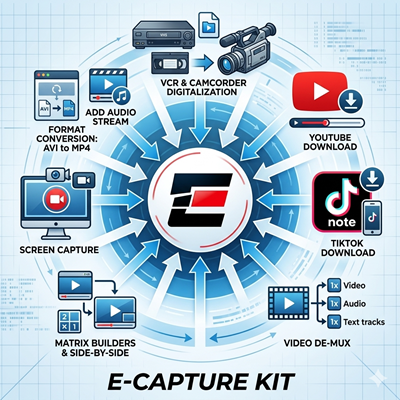
E-Capture Kit is a next-generation video acquisition and processing suite built for forensic professionals, it provides multiple tools for capturing video evidence through any method required. Its screen-capture and step-capture modules pull frames directly from the GPU, preserving true PTS timing rather than relying on rendered-desktop output. The suite also includes a high-performance downloader that uses cookie-based authentication to retrieve protected, private, or paywalled online video without exposing user credentials.
Now first responders and experienced analysts alike can go on scene with the confidence that they will walk away with an uncompressed copy of the evidence they need to investigate the case. With Omnivore, you have the ability to capture evidence directly from the machine that recorded it and then instantly view it without needing to install hard-to-find proprietary viewers. This combination of power, portability and ease-of-use makes Omnivore the ideal tool to outfit an entire agency.
** Last version 3.8.0.0b01.19.22Please send an email to support@yottageek.com. The subject should be Omnivore Activation, it needs to include the Device ID.
For example:
Subject: Omnivore Activation
Device ID: ABC123
You will get a reply with the Unlock Code.
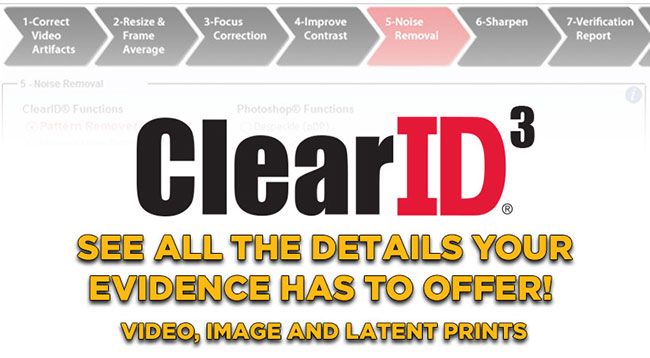
ClearID is a tool used for clarifying latent prints, aerial footage and forensic-video stills. ClearID is a suite of more than 20 image clarification filters that are powerful, easy to use, and non-destructive to original evidence. With integrated color preview windows and easy-to-use slider bars, ClearID allows a user to quickly discover the optimal settings for clarifying digital-image evidence. There is no need to manually record settings because ClearID does it for you automatically. ClearID gets results in less time by automating and streamlining complicated multi-step processes such as those required for pattern removal.
** The installer support up to Photoshop 2024Please send an email to support@yottageek.com.
The subject should be ClearID Activation, include the Serial Number, Product Key
For example:
Subject: ClearID Activation
Serial: ABC123
Product Key: 1234-5678-90000
You will get a reply with the Unlock Code.